When we’re asked to set up a blog to support projects, most of the time the choice is a simple free installation at wordpress.com. However, once we’d identified the functions that we wanted to support with technology in our KM activities for the BDS program, we quickly realized we would need more functionality and features than the ones available on a free WordPress blog. So we opted for a self-hosted version at wordpress.org - and made use of the dozens of plugins that are available to expand your WordPress blog into a rich, complex website.
There are tons of posts out there on the pros and cons of self hosted solutions, and step by step guides to installation and hosting. There’re also an awful lot of resources about essential WordPress plugins you should be using on your site. So we won’t cover any of these topics in this post. Instead, we’ll be looking at 3 plugins that we’re using to expand the BDS KM site beyond its core blogging functionality.
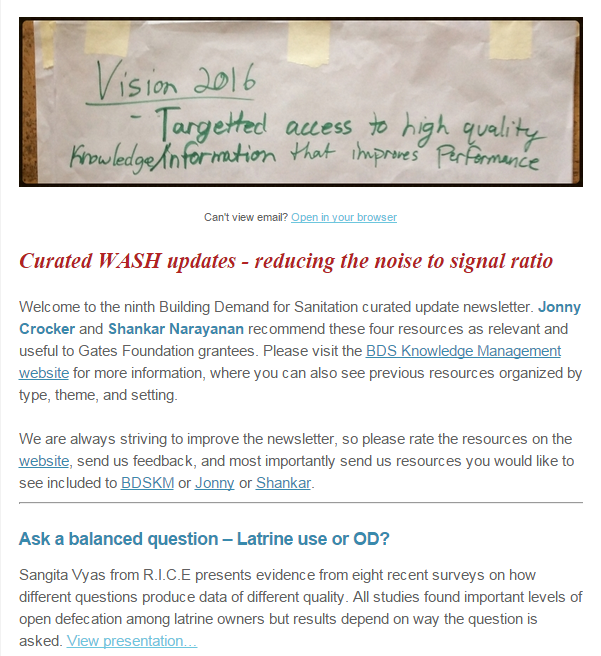
 The first function of the bdskm site is to act as publishing platform for the selection of monthly curated updates about water, sanitation and hygiene (WASH). We wanted these updates to be properly categorized, according to type of resources, geographical and thematic coverage. And we wanted to make it easy for our curator to apply these categories, by choosing from a list or drop down menu. So we needed something that goes beyond the (useful but rigid) standard combination of WordPress tags and categories.
Installing the plugin WCK - Custom Fields and Custom Post Types Creator allows you to create additional taxonomies for your website. Most importantly, you can do so without having to touch any piece of code.
In our case, we defined three custom taxonomies for type of resources, geographical and thematic coverage. These can be easily selected by authors when they post new content on the site.
Further, we reflected this custom taxonomies in the front end of the site. Adding the plugin in Search and Filter, we could expand the search functionality, allowing users to filter and display content for each of the categories included in our new taxonomies.
 Another key specification for the Curated Updates part of the website was the introduction of a simple content rating system. We wanted to give readers the possibility to assess and rate the content published monthly on the site, through a rating or start system. This had to be as easy as possible for readers, meaning no login should have been required for them to cast their vote on a specific article.
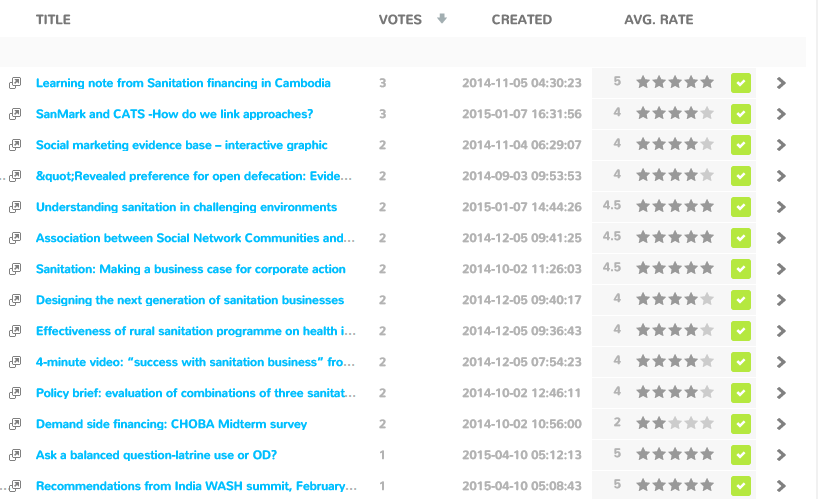
The Rating-Widget Star Ratings WordPress plugin allows to you to embed and display star ratings after each post or page on your WordPress website. You can customize style, theme and colors, fonts etc. of the ratings. You can also display the 'Top Rated' content as a widget on your site sidebar or footer.
The plugin comes with a free version and several possible upgrade option. In this case we purchased the Professional version (8 USD/month) which, among other features, gives you a very useful dashboard to monitor ratings. All data can be also exported in a zip file.

There are many ways in which a private content area can be created on WordPress, and several plugins do this job. After some research and a little more testing, eventually we opted for using the User Access Manager plugin.
With this plugin, you can create user groups and specify what site content each group has access to. User accounts are created via the WordPress dashboard, and they are added to a specific group. As a convention, we set up the users accounts with their email as login name and use a standard password that they could change after their first login. Using their account details, users could access any restricted content page or post.

While we use a dozen other plugins on the bdskm website, the three illustrated above here demonstrate how flexible and scalable WordPress is, and how much you can do with it. With WordPress it is really easy to make the site do what you need it to, even without being a programmer or webmaster.
There are tons of posts out there on the pros and cons of self hosted solutions, and step by step guides to installation and hosting. There’re also an awful lot of resources about essential WordPress plugins you should be using on your site. So we won’t cover any of these topics in this post. Instead, we’ll be looking at 3 plugins that we’re using to expand the BDS KM site beyond its core blogging functionality.
Custom taxonomy and categories

Installing the plugin WCK - Custom Fields and Custom Post Types Creator allows you to create additional taxonomies for your website. Most importantly, you can do so without having to touch any piece of code.
In our case, we defined three custom taxonomies for type of resources, geographical and thematic coverage. These can be easily selected by authors when they post new content on the site.
Further, we reflected this custom taxonomies in the front end of the site. Adding the plugin in Search and Filter, we could expand the search functionality, allowing users to filter and display content for each of the categories included in our new taxonomies.
Five stars rating widget

The Rating-Widget Star Ratings WordPress plugin allows to you to embed and display star ratings after each post or page on your WordPress website. You can customize style, theme and colors, fonts etc. of the ratings. You can also display the 'Top Rated' content as a widget on your site sidebar or footer.
The plugin comes with a free version and several possible upgrade option. In this case we purchased the Professional version (8 USD/month) which, among other features, gives you a very useful dashboard to monitor ratings. All data can be also exported in a zip file.

Private content area
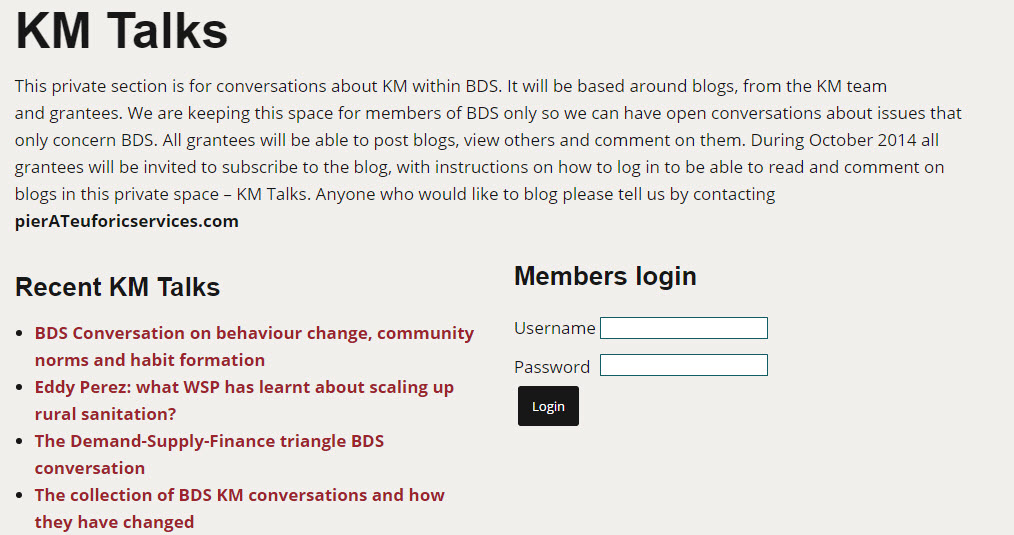
The last and third functionality we wanted to add to the bdskm site is the creation of a private content area, accessible only to the core group of project participants. In our plan, this would allow for a more intimate interaction and dialogue between project participants, where they would share their reflections about learning from the project, and how they are learning about the way they learn.There are many ways in which a private content area can be created on WordPress, and several plugins do this job. After some research and a little more testing, eventually we opted for using the User Access Manager plugin.
With this plugin, you can create user groups and specify what site content each group has access to. User accounts are created via the WordPress dashboard, and they are added to a specific group. As a convention, we set up the users accounts with their email as login name and use a standard password that they could change after their first login. Using their account details, users could access any restricted content page or post.
While we use a dozen other plugins on the bdskm website, the three illustrated above here demonstrate how flexible and scalable WordPress is, and how much you can do with it. With WordPress it is really easy to make the site do what you need it to, even without being a programmer or webmaster.