Google+
Showing posts with label communication. Show all posts

Wednesday, August 12, 2015

Using a self hosted Wordpress site for project communication

When we’re asked to set up a blog to support projects, most of the time the choice is a simple free installation at wordpress.com. However, once we’d identified the functions that we wanted to support with technology in our KM activities for the BDS program, we quickly realized we would need more functionality and features than the ones available on a free WordPress blog. So we opted for a self-hosted version at wordpress.org - and made use of the dozens of plugins that are available to expand your WordPress blog into a rich, complex website.

There are tons of posts out there on the pros and cons of self hosted solutions, and step by step guides to installation and hosting. There’re also an awful lot of resources about essential WordPress plugins you should be using on your site. So we won’t cover any of these topics in this post. Instead, we’ll be looking at 3 plugins that we’re using to expand the BDS KM site beyond its core blogging functionality.

Custom taxonomy and categories 

The first function of the bdskm site is to act as publishing platform for the selection of monthly curated updates about water, sanitation and hygiene (WASH). We wanted these updates to be properly categorized, according to type of resources, geographical and thematic coverage. And we wanted to make it easy for our curator to apply these categories, by choosing from a list or drop down menu. So we needed something that goes beyond the (useful but rigid) standard combination of WordPress tags and categories.

Installing the plugin WCK - Custom Fields and Custom Post Types Creator allows you to create additional taxonomies for your website. Most importantly, you can do so without having to touch any piece of code.

In our case, we defined three custom taxonomies for type of resources, geographical and thematic coverage. These can be easily selected by authors when they post new content on the site.

Further, we reflected this custom taxonomies in the front end of the site. Adding the plugin in Search and Filter, we could expand the search functionality, allowing users to filter and display content for each of the categories included in our new taxonomies.

Five stars rating widget 

Another key specification for the Curated Updates part of the website was the introduction of a simple content rating system. We wanted to give readers the possibility to assess and rate the content published monthly on the site, through a rating or start system. This had to be as easy as possible for readers, meaning no login should have been required for them to cast their vote on a specific article. 

The Rating-Widget Star Ratings WordPress plugin allows to you to embed and display star ratings after each post or page on your WordPress website. You can customize style, theme and colors, fonts etc. of the ratings. You can also display the 'Top Rated' content as a widget on your site sidebar or footer.

The plugin comes with a free version and several possible upgrade option. In this case we purchased the Professional version (8 USD/month) which, among other features, gives you a very useful dashboard to monitor ratings. All data can be also exported in a zip file.


Private content area 

The last and third functionality we wanted to add to the bdskm site is the creation of a private content area, accessible only to the core group of project participants. In our plan, this would allow for a more intimate interaction and dialogue between project participants, where they would share their reflections about learning from the project, and how they are learning about the way they learn.

There are many ways in which a private content area can be created on WordPress, and several plugins do this job. After some research and a little more testing, eventually we opted for using the User Access Manager plugin.

With this plugin, you can create user groups and specify what site content each group has access to. User accounts are created via the WordPress dashboard, and they are added to a specific group. As a convention, we set up the users accounts with their email as login name and use a standard password that they could change after their first login. Using their account details, users could access any restricted content page or post.


While we use a dozen other plugins on the bdskm website, the three illustrated above here demonstrate how flexible and scalable WordPress is, and how much you can do with it. With WordPress it is really easy to make the site do what you need it to, even without being a programmer or webmaster.

Monday, July 20, 2015

Three tools to support communication and learning in a KM project

One of the projects that has kept us busy over the past 15 months is the support and facilitation of KM activities in the Building Demand for Sanitation (BDS) programme. The project has different components and activities and, from its inception, we looked at how technology could support communication and learning in and around the project. This blog post will provide a quick overview of three of the tools that we’ve been using in this KM project.
BDSKM blog - click to enlarge


3 simple principles for technology selection 

But before we go into technology, here are some of the principles that guided our selection of possible digital tools:

  1. Know your audience. We engaged with grantees in the early stage of the project, to understand their current behaviours in terms of information, knowledge sharing and communication. 
  2. Tools follow functions. In one early meeting in the process, grantees defined specific KM activities they were interested in. From this, we mapped out a series of possible tools to be used, selecting the most appropriate and accessible. 
  3. Private and public spaces. While we tend to favour the creation of ‘open’, public online spaces there was a specific need in this project for two kinds of spaces. The first is a more protected space, to enable people to share tentative or critical ideas that they would not like necessarily to share in a more open space. At the same time we wanted other spaces that are more public, to be able to interact and engage with a larger online audience. 

Tech overview

To support and enable communication and learning, we opted for a simple, straightforward digital system using 3 tools:

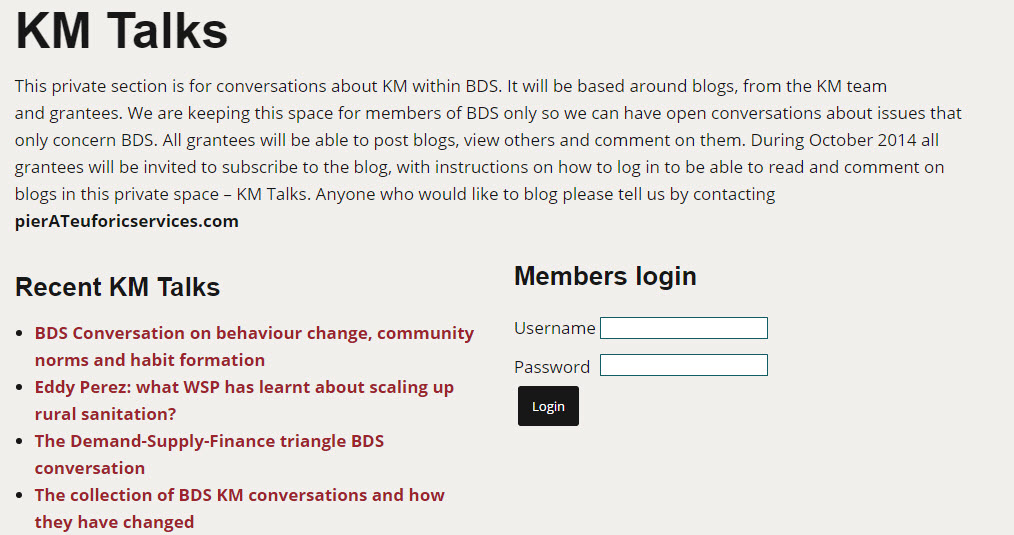
  • A Wordpress blog - Publicly available at bdskm.net, this simple blog is the digital home for the project. It offers different online spaces, such as the Curated Updates, which are openly accessible for anyone on the Internet. Other pages, such as the KM Talks and its subpages, are private, only accessible to the core project participants. In these private pages, participants share their reflections about learning from the project, and learning about the way they learn
  • A Dgroup community - With membership by invitation only, it includes again just the closer circle of participants directly involved with the project and the KM support team. The Dgroup is key in supporting different types of communications in the project: from informal information sharing between group members, to facilitated and focused e-discussion on specific questions, to reflections and learning stories emerging from other activities in the project. 
  • A Mailchimp newsletter - The newsletter is sent on a monthly basis, presenting the content that is published in the Curated Updates section of the blog. Initially sent to the core group of project participants, its membership has grown beyond this reduced number of recipient to reach about 160 WASH professionals, a good indicator of the relevance and value of this service, as reported in a previous blog post. 
Around this core, simple toolkit, we also made use of other supporting technology such as Adobe Connect for online webinars, Google Drive, Dropbox and OneDrive to collaborate on documents and share files and folders, Skype and Google Hangout for live meetings.

In the next post, we’ll take a closer look at the Wordpress blog, why we opted for an installed version of the software instead of using its free option and the core plugin we’re using to expand the functionality and features of the blog.

Monday, May 19, 2014

Are you digitally competent?

So you are on the West Manhattan cycleway on your way to work at the mission in the UN and a US airways Airbus A320-200 crash-lands, deafeningly, on the Hudson river beside you.
Being a well-trained diplomat you respond coolly. You assess the situation and realise instantly that you can be of no practical help in the water - freezing - and that boats are already turning and heading towards the plane, which is beginning to settle lower in the river. This is NYC, so your first-aid training is probably going to be trumped by the well qualified professionals who are doubtless already leaving their bases. So do you join the increasing number of shocked spectators on the waterside, take out your smartphone and start filming the scene or do you get back onto your bike and head quickly to the mission so that you can contribute to the response of your national delegations in New York and Washington DC.

Wait - haven't you even taken a photograph? Being digitally competent you take a good shot, tweet it it immediately, echoing your post onto the Embassy Facebook page, with a message of support and praise for the pilot and the US response  (You work for an enlightened Foreign Ministry, that encourages staff to be active in social media and trusts them to do so professionally and competently -  you've had training, of course). Then you head to the mission, already working before you've even taken off your Lycra. By the time you've showered you've got messages from too many colleagues and friends to deal with immediately, as well as several acknowledgements from different US agencies. Both you and your embassy are well connected on social media, having identified 'influencers' who can support your own policy positions and engaged with them regularly online. You talk it over with your colleagues and agree that part of the official response should be a quick blog from you, expressing your personal reactions - which are only now beginning to make themselves felt - as well as appreciation for those who've saved 100s of lives, and maybe making an appropriate reference to a national issue of relevance. You've blogged before, understand how to walk the fine line between personal and professional (talking to people as a person, but from within the context of your professional position), how to upload and embed your photo, make links to other relevant websites.... and so on. Which means that you will be able to make your 11 am appointment.

The digital dimension of a Capacity Development 2 

We developed a digital competency framework as a tool for our social media training and development work and have used it in a wide variety of contexts, including with diplomats at all levels, hence the references above. The framework is grounded in the notion of behavioural competencies, used to guide, assess and evaluate holistically how people operate within their work, as introduced in a previous post. There we suggested how being digitally competent is clearly an essential component of any definition of a Capacity Development 2, the concept we have been exploring with a team of Itad staff and associates for the UN GEF. Thanks to team-member Cheryl Brown in particular, we extended our standard '5Cs' model, drawn initially from the work of Howard Rheingold on digital literacy, into a two level, 8Cs model. We identify three foundational and five core competencies.

Foundational competencies

These are largely passive in nature (reading, looking and listening), maintaining a low profile, keeping in touch with what is going on and who is active
  • Comprehend
  • Connect
  • Check Context

Core competencies

These competencies are about active engagement in digital media and platforms, developing a profile and working with others to build inter-connected collections of content
  • Collaborate
  • Create
  • Critique
  • Curate
  • Communicate
We provided more information about each of these in a Google Spreadsheet, along with examples of how they are used and links to illustration reference sites. The competencies are mapped in the table to elements of the GEF Theory of Change although of course the framework is transferable to other contexts.

We're very interested in any comments and suggestions for improvements.

Monday, May 12, 2014

Capacity Development 2 - Behavioural Competencies in a Digital World


There can’t be many tenser moments in life than following behind your child as she cycles, more or less steadily, on a main road towards a busy roundabout, and then wobbles as she raises her right arm out to signal and turns her head quickly to try and spot a space in the stream of cars coming up behind. And then there’s the time she sets off alone with her friends to do the same route and you have to trust that she has learnt enough traffic sense to be able to negotiate the same roundabout on her own or, and this is the final ‘wake in the night rigid-with-fear’ moment, that she’s developed enough in all the senses necessary to be able to react quickly and intelligently to the unexpected, which the complexity of the human-machine-environment interface is likely to throw at her. So if you’ve ever helped a child to ride a bicycle then you’ll know with aching certainty that simply learning how to stay upright on two wheels while moving forward is only the first step in absorbing a whole new way of behaving, indeed being.

It’s very similar – though with little of the accompanying tension and heartache – to working with people as they learn to navigate digital technology and its extension, software programmes. ‘Technology Stewardship’ involves a certain amount of simple skills training but is much more about working with people as they navigate into a new way of being that involves using technology and interacting with software. And operating online, in social media and other web spaces, is analogous to cycling in a busy city, having to apply the simple skill-set in a dynamic context where the most complex and unpredictable element is other people. That complexity is one of the reasons we have embraced and promoted the notion of digital competencies as a way to frame the gamut of skills and behaviours involved in operating effectively as a digital citizen. There is a wonderfully rich visualisation of digital competencies in the JRC conceptual model (Ala-Mutka, 2011) 


We have written and presented elsewhere about this methodology, which informs a lot of our training work, but in this first part of a two part post we want to ground that concept in the underlying principles of the Behavioural Competency approach more generally and link it to the work we have been doing on conceptualising Capacity Development 2. And in a second post we will introduce an extension and update of our usual 5Cs framework.

The impetus for this post comes from our work with Itad and two associates on developing a framework for ‘Capacity Development 2’, as part of a brief for the UN Global Environment Facility (GEF). The brief arose as a follow-on from the IDS climate change knowledge exchange, where a colleague from the GEF Evaluation Unit recognized the potential of, among other things, the use of ‘Web 2.0’ tools and approaches in KM & Capacity Development. In the early part of the brief the Itad team quickly widened the scope of the work from technology 2.0 to a more holistic exploration of contemporary approaches to Capacity Development. As part of this we concentrated on the underlying principles of competency-based approaches, the focus on how people behave towards each other and their work. This, of course is in marked contrast to the skills training that can be seen as a typical activity of a CD1, where participants are ‘taught’ how to complete definable tasks and activities. “A competency is more than just knowledge and skills. It involves the ability to meet complex demands, by drawing on and mobilizing psychosocial resources (including skills and attitudes) in a particular context” (OECD, 2005:4).

To say ‘Susheela is a competent manager’, for example, is both a compliment and a description of a set of behaviours. It implies that Susheela has learnt a range of skills in dealing with complicated tasks – constructing and monitoring project budgets, for example. But is also implies that she performs those skills well in a complex context, for example: working with a range of people and organisations; aligning what she is doing with the strategic and operational requirements of her own organisation; bringing to bear her own experience and knowledge, learned mostly from different contexts. Defining, measuring and developing such a collection of learned behaviours and skills is the essence of competency-based approaches that have been central to much Knowledge Management (KM) and Human Resources Management (HRM).

The assessment of observable behaviours, as part of a Behavioural Competencies Framework, is widely used in staff management systems. The United Nations Competency Framework, for example, includes desired competencies such as, “teamwork: supports and acts in accordance with final group decisions, even when such decisions may not entirely reflect own position”. We suggested in our paper that, “the behaviours which might be a product of a CD2 approach, for example, could include collaborate within and across teams and organisational boundaries or tell stories and identify shared purpose through narrative.”

Behavioural competencies are a crucial link between individual and organisational and network levels of capacity development. Behavioural competencies also contribute to and are enabled or blocked by the wider enabling environment. For example, the UN framework referred to above includes the indicator, “gathers relevant information before making a decision”. However, this is evidently dependant on the availability of accurate information. And the study revealed that, unsurprisingly perhaps, the concept of competencies as a frame for engaging with capacity holistically, is still to be embedded in the work of the GEF. For example, competencies, albeit expressed vaguely (eg, “handling conflict”) are a focus in some cases but "the approach tends to be CD1 (train people) rather than CD2 (look holistically at the context and motivational issues relevant to a desired behaviour)."

In the next post we will focus specifically on digital competencies.

Friday, April 11, 2014

CTA web2.0 and social media trainings - What have we learnt?

Over recent years, CTA web2.0 and social media training programme has become a flagship initiative of the organization, receiving positive feedback from participants and host institutions and being awarded the WSIS Project Prize 2013 in the category e-agriculture.

While we are in the process of finalizing the evaluation of the second phase of the programme (2011-2012), I was recently invited to present and discuss the initial findings of the evaluation with CTA staff and managers.

 
Web 2.0 and social media capacity building initiative - What have we learnt over the period 2011-2012? Results of an impact study from Euforic Services

A few of the headlines emerging from the evaluation are:

  • There is general, high satisfaction of how the training is conducted and its content; 
  • Participants describe the training events as an eye opener and they feel inspired by the potential of social media to support their work;
  • The trainings work for improving participants' social media skills and knowledge;
  • Face-to-face trainings perform better than online trainings in terms of adoption of different social media tools;
  • There is a clear ripple effect, with the training being replicated (in different forms and degrees) by participants in their workplace or with their own partners;
  • Institutional adoption of social media is increasing, but only a few organizations use social media in an advanced way.
  • Resistance to change and lack of management support are the most common challenges to social media adoption.
Some recommendations include:
  • Putting more resources into the documentation and sharing of success (and failure) stories of putting social media to work in the agricultural sector;
  • Investing in a training of trainers programme, to expand the formation of a solid base of trainers across the ACP countries;
  • Sensitize senior and middle managers on the advantages of social media.
The meeting provided a good opportunity for CTA staff to reflect on what has been done so far in the programme, and discuss how to take it forward.

 - 


Friday, March 07, 2014

Using ICT with older people - a workshop with HelpAge International

Help Age International (HelpAge) has been working with older people across the world for over 30 years. It’s far from being the sexiest end of development, so there’s little money and less attention from many major donors and Foundations. That perception doesn’t come from insider knowledge but is a supposition based on the way they’ve built their programme, focused on local level activities supporting, advocating, campaigning, mostly voluntary. The small offices are as full of creative, committed, wise people as you’d expect of long-lived NGOs. So it was a privilege to help facilitate a fascinating exchange with HelpAge staff in a session on the use of ICT to support their programmes. As well as the people in London, we had on Skype people from international offices, including Tanzania, Pakistan, South Africa, the Occupied Palestinian Territories and a South Asian regional programme manager.

First, a facilitator’s note, especially for those working in ICT4D: don’t forget the obvious, which is that many people come to conversations about using ICT in programmes suspicious, often on the basis of experience, about whether or not good development practice will be trumped by talk of tech-led programmes or a belief that programmes and people’s lives can be transformed by new-tech. So it’s important to have assumptions and challenges out on the table at the beginning, to get as quickly as possible to a creative conversation about how to engage in the new context constantly being created by the march of ICTs. Some that could usefully have been stated at the beginning:
  • ICT4D isn’t (shouldn’t be) technology led: technology is a core enabler
  • New developments must be programme led, which means country and/or regional offices, in decentralised organisations
  • Don’t make assumptions without some data – do we know about uses of ICT by segments such as older people? 
  • Don’t simply focus on the obvious constraints (connectivity, cost etc.) that don’t take into account the existing spread of ICT like mobiles, even in the context of shared ownership. People came up with plenty of examples of engaged use by older people
  • Don’t use digital as the topic header, use ICT, otherwise the conversation is all about mobiles – important enough in itself – but ignores older ICTs like radio
  • Context is all important in determining what might be useful, based on what is already happening as well as the goals and capacity of the people involved
I gave a brief presentation about trends, drawn from four sources:
The presentation was intended partly as a collection of useful links but for an audience relatively new to the field, and with very specific sectional interests, more abstraction would have helped. I separated out two areas that I think need in depth investigation – the use of mobiles and trends grouped around Open….. and Crowd…..

The digital dimension

Part of the interest for me was comparing our conversation with those I've had in Oxfam GB over the years. In 2002 nobody was much interested in ICT4D, even as we showed how many international partners were starting to use computers. Our work in Oxfam in 07/08 was part of the the development of a Digital Vision. Having seen how much ICT4D and digital activity was already happening, and recognising the strategic implications of what were then the new Web 2.0 trends, OGB set up a series of work streams. The Regional Director for South East Asia, where a lot of ICT4D innovation was happening, took on leadership for OGB. The wheel came full circle in 2012, when an ICT4D coordinator was appointed.  

Before and during the HelpAge workshop a list was developed of current projects using ICT. Without a lot of effort, ten were identified, some historical but many live, many using mobile phones but others integrating radio and video. I think I am right that nobody had seen that list collated before, which is as it was in Oxfam GB when we did surveys in 2002 and again in 2008: there is a lot of innovation within the on-the-ground programmes, most of which is only known about only by a few, directly involved people. It was the same in the University of the Arts, London, when we explored what was going on across the University as part of work to develop a Digital Vision. Lots of innovation, little visibility and less money. One of the College Directors coined the term, digital dimension, arguing that the digital impacted, and could benefit, all of the creative and admin processes within the University. It's a useful concept for organisations like HelpAge  it's not so much a question of where ICT could be useful, but rather starting from the perspective that there is a potential digital or ICT tool or service that could be used in support of all programme - or organisational - aims.

Participants drew a useful distinction between aiming to build from and develop usage of ICTs by older people and ICT use by the organisations. We agreed that, while it’s important for organisations to get good at integrating ICT, which can be a basis for sharing that knowledge and capacity with others, that can also represent barriers to those less well connected or experienced. One of the major issues for older people in many OECD countries, for example, is precisely that ICT based-services and communication is becoming the default, meaning people need to gain control of the tools and channels in order to access services like pensions. That has, in turn, given extra impetus to digital inclusion programmes in countries like the UK. Digital access as a right has traction in such countries but is unlikely to be a priority with older people in most of the places where HelpAge works, was the general consensus.

The bottom line for HelpAge  and other similar organisations, is that this is - will be - an evolutionary process, exploring and adapting ICT tools as and when they fit, and generally staying well back from the bleeding edge of innovation. It will be enough to focus on simply being more efficient - focusing on the Information and Technology nexus, as in the GOAL Ireland project presented at the INTRAC workshop - and recognising that any kind of communication process or project is likely to be able to be access ICT that supports  collaboration, enables more effective communication, builds and strengthens networks and links into existing organisational communication.

Wednesday, August 14, 2013

How to use Social Media time-effectively

'Advice on how to use Social Media effectively in a way that isn't massively time consuming' was the question on an excellent LinkedIn group 'Social Media for Nonprofit Organizations' (54K members). There are two lessons there immediately, and one quandary. The first lesson is that LinkedIn, after a very slow and cumbersome start, is becoming a lot more useful to ordinary members, partly because some of the group discussions are excellent. The best are niche, such as this one or Translators Worldwide, which has 15.5K members. 'Nothing ever happens in LinkedIn', was a standard complaint but its carefully nurtured image as the 'professional Facebook' drove recruitment. That meant that, until now, it has been mainly of use to recruiters who trawled productively amongst all those hopeful CVs. However, groups are increasingly seen as something which might take LinkedIn mainstream.


The second lesson is that social media does take time. To be even minimally effective in any one channel takes at least three to four hours a week - and that is maintenance level effort. To build a presence from scratch - define goals, identify audience, engage and build following etc - takes a lot more effort. And then there is doing this kind of curation task - gathering material to share with other people, learning from the content we browse or skim and 'feeding the web' (so that it will, as the adage has it, feed us back). Content still rules and creating new content is still an essential part of being effective in social media, even if the originality often lies in selecting from other people's contributions and taking a personal stance (well expressed in the content-aggregation site scoop.it which asks you to, 'add your insight' as you tag and share items of content').

That brings me to the quandary, which I shall share on the group: there have been a lot of useful, practical answers to the question from members. Nothing I have seen so far is new, in the sense of something we don't do or heard before but the crowd-sourcing process, triggered by a simple question, has generated a valuable collection of tips in one place. But because, sensibly, it is a members-only group (though open to anyone who wants to join) simply tweeting about it as I did this morning is frustrating for anyone who comes across my tweet, as a friend pointed out, since the resource is unavailable publcly. However, by gathering some of those tips - curating content - I am potentially exploiting people who contribute freely and voluntarily (even if there are promotional opportunities for those who share on such sites). I think the answer lies in following normal publishing conventions, listing sources of the tips below, but it will be interesting to hear responses from group members when I report what I have done.

Time-effective social media top tips:

Tools

  • Use a social media dashboard like HootSuite or Tweetdeck to monitor, post and manage and several accounts
  • Shareaholic browser extension for Chrome to post relevant content to social networks
  • Develop summary podcasts or blogposts and share them widely
  • Use Google alerts for keywords relevant to the target audience
  • BufferApp as an alternative dashboard for scheduling and getting application specific analytics

Habits

  • Schedule your time – and set time limits: nicely summarised in this infographic showing a 30 minute daily timeable
  • Develop an editorial and content calendar
  • Blog regularly (curate content, comment on other content, contribute original pieces) and promote blogs to all social media channels
  • Spend an hour each week finding people to follow and pruning your own follower (friend) list
  • Limit the networks you're involved in
  • Manage notifications (they're always configurable in each network), limiting them to daily or less frequently

Sources

[cross-posted from Diplo Foundation website]

Tuesday, August 28, 2012

Learning social media online - UNITAR ICfD course

UNITAR ICfD Online CourseWhen Euforic Services approached me last year to facilitate an online course on social media, I didn’t imagine I would have so much fun. Last year I had participants from many different countries and regions as well as professional backgrounds and levels of knowledge. This definitely made for a good mix of people and certainly their contributions were inspiring. This year, I’m having the privilege to facilitate the course again along with a colleague based in Nigeria, Johnson Opigo. I’m still enjoying it very much!
 
The online course Innovative Collaboration for Development (ICfD), jointly developed by UNITAR and FAO has a unique approach to teaching and learning that is hands on and focuses on knowledge sharing. Six different modules (one or two weeks in length each) build up on concepts and skills gained throughout the course. Besides having interactive lessons, there are many online resources that help reinforce the concepts and tools reviewed. Activities and exercises help participants familiarize themselves with a wide range of tools and approaches to social media. For busy professionals, this course is ideal as all is needed is a computer and internet connection. People are able to fit the exercises, assessments and evaluations within their own schedules. We all are based in different parts of the world, and we don’t need to be connected at the same time!
“This course has been an eye opener for me. I've always seen social media as a tool that business and for profit organization could leverage but I've never considered how it could be used for non-profits, particularly those at the community and grassroots level. I'm really glad I had the opportunity to participate in this training as it has caused me to think differently.” – Summer 2011 participant 
The emphasis is not on the tools available, but rather on how an organization can choose and use the tools effectively to achieve specific goals according to their needs. Therefore, at the end of the 6 modules, each participant designs a social media strategy for his or her organization with clear objectives and measurable outcomes, giving them the opportunity to take something concrete back to work. 
"The knowledge gain will definitely be an asset to me and my organization. I plan to put these skills gained into practice as soon as possible.” – Summer 2011 participant 
Furthermore, this course concentrates specifically in the not for profit sector, with examples, case studies and stories that are relevant, so participants can relate to similar challenges and opportunities and they can adapt strategies that suit their requirements.

What makes a difference in this course is the participation of all the people involved. It’s definitely not a linear contribution facilitator-participant, but rather a collective collaboration where participants are encouraged to share their own experience and provide insights and recommendations to fellow colleagues. We all learn from each other. 
“It was really great meeting all these great minds for you all where great inspiration to me. Thank you all for your contributions and dedication to the course.” – Summer 2011 participant 
Following the success of the previous online courses, UNITAR and FAO are launching the Innovative Collaboration for Development (ICfD) course again this fall from 15 October to 14 December, 2012. Registrations are now open and applications must be submitted online until 28 September.

More information can be found on the course introduction and application page. There is still time to be part of this exciting experience!

by Rosamelia Andrade - Euforic Services Associate

Tuesday, July 03, 2012

Seven principles for middle and late adopters of social media

We are meeting different people these days when we talk about and work with social media, more of the massive numbers in  the middle and latter portions of the classic adoption curve.


Presenting and facilitating at three very different events - the eDiplomacy day at the Instituto Publico in Rome, an ICARDA/ICRISAT programme inception workshop in Dubai and an informal chat with a group of international development consultants in Oxford -  I heard similar things from people who are only now feeling their way into how they can engage with the online mainstream:
  • there are many  from the ‘early majority’: people who have became enthusiastic and skilled users of several social media or collaborative platforms and who want to integrate them into their everyday work, as well as evaluate some of the less-well known tools
  • there are probably more from the ‘late majority’ who are involved in one or two platforms, sometimes uneasily or by default: 
    • 'I am on Facebook to follow the kids' is something I've heard around the world
    • the logistics information, agenda and reports for the Dubai workshop were on a wiki, which for many of the  participants was their first real exposure to anything other than Wikipedia: they had no choice;  
    • 'I kept being invited to LinkedIn so I eventually joined'
  • and there are some classic late adopters checking out the space: 'everyone tells me I need to be on Twitter, do I?' to which the answer is, 'it depends'. I don't like the term 'laggards’. It is loaded and   inaccurate: it implies everyone will - should - adopt,  eventually. But there is, of course, no reason to join any of these platforms unless it serves a purpose. 
And what is the mainstream? As an illustration I listed for one of the groups the tools that I use regularly, not because I am a model but because they are also typically used by many other early adopters I know.  The list is at the bottom of this post. 


Seven principles for those late into the social web

It’s hard to come up with general principles for the majority, since it includes all human variation and possible sets of interests. And in 2012 there are many, many mature products on the market which can be adapted to suit an individual’s needs. For a long time in our training we have used business functions within organisations as the basis for assessing need and interest. It's an approach that can be extended to individuals. For example, promotion and collaboration were the two functions which generated most interest amongst the group of consultants. Here are some  notes from our discussion, elaborated later of course, which is the right of the blogger. 
  1. As ever, start with your aims: why would you want to use one of these tools? For example:
    • Promotion: what is the audience you want to reach, where do they hangout online? Research, join and start to engage. 
    • Collaboration: are your colleagues already using a tool? How good is their Internet access and how confident are they using social media? Select an appropriate platform (see below) and invest the time in learning how to use it well, so you can support them. Note that if you choose a wiki they will probably find it surprisingly difficult.
  2. Engage with people: the essence of social media is that it is, well, social. That means personal conversations, linking people to people, sharing information, ideas etc, joining important lists and conversations on other people’s sites. These are not platforms for broadcast messages. Crucially, it also means keeping on top of the exchanges, for example, commenting on comments, thanking people for linking to your work or RT your tweets. 
  3. Feed the web and it will feed you back. For example, linking to other people’s content, RT in Twitter, liking in Facebook or slideshare and commenting in blogs will get you noticed, connected and - if your content has meaning - shared in turn
  4. Use groups of tools, linking and integrating: many social media tools are designed to one thing well but they are all designed to interact and exchange data (to be mashed up, as they say). For example, I echo tweets into LinkedIn (via the Hootsuite client) and selectively into Facebook (you simply have to link the two accounts and use #fb). I tweet about content I generate - Blogs, videos, photos, slides;
  5. Always share and record your work online somewhere public, for example slides on slideshare, project progress on Blogs or Twitter
  6. Be yourself: authenticity scores over slickness, although manufacturing 'authenticity' earns PR firms and political spin merchants a good living. 
  7. Have fun: Good social media practice has a lot in common with being a good party host: introduce people to people, provide interesting titbits, circulate regularly, help people have fun.


So what social media tools do you use?

For the record, and because we believe in transparency, here is the list of tools I regularly use, ranked loosely by how often and how important they are to my work:
  • Twitter (via client software - hootsuite [web client] or tweetdeck [dowloadable client])
  • Delicious (it's always surprising how few people who work collaboratively with others around the world use Delicious or one of the competitors like Diigo) 
  • Dropbox (probably the most straightforward collaborative application since it requires no social media experience and, carefully managed, can serve as a common repository for collaborative projects. Importantly, it doesn't require users to change their favourite tools, like MS Office or the Mac equivalents
  • Wiki (e.g. euforicweb; platforms I use include mediawiki [free, open source: clunky, the original, and still the Wikipedia platform]; wikispaces; pbworks) Note that a lot of people find learning to use a wiki quite difficult: for example the 'edit' function, also a basic essential for blogging, flummoxes people who haven't had a lot of experience)
  • Google docs (tends to be easier to understand for new users, since the applications 'feel' similar to MS Office packages that people use already. It does require good Internet access, although there is offline access to documents. Candidly, I have had more problems that I expected with offline Google docs)
  • Facebook
  • News and other feeds, through Google Reader; we suggest using an iGoogle Home Page as an introduction to the value of filtering news through feeds, or  netvibes, which allows users to share and publish a common home page, as in this great example from Stephanie Psaila of Diplo Foundation
  • Blogs (writing on our own blog; for communication support, for example the Diplo Foundation blog, from where I cross-post here or from events,  such as those we support for GDNet. I always quote John Naughton as my favourite blogger, partly for interest and partly because he does it so well; Tim Davies is another superb digital-artist)  
  • Slideshare
  • LinkedIn
  • Scheduling tools (for example Doodle for diaries; eventbrite for, er, events)
  • YouTube (we use Blip.tv, as it syndicates content to other sites; Vimeo is used by many people for video quality reasons)
  • Flickr for pictures and images (see again euforicweb for how we easily the content can be shared and displayed; many people also Google’s platform called Picassa)
  • Mindmeister, for collaborative mindmaps
  • Yammer, which works as an internal Twitter
There are several platforms I want to explore a bit more

Tuesday, June 19, 2012

The states of eDiplomacy

After a long, competitive selection process we are then told we know nothing and can't use the knowledge and skills we bring with us', said an exasperated new foreign diplomat based in Rome from a diplomatic service which lags a long way behind the mainstream in its adoption of social media and the other tools of eDiplomacy.  It was especially surprising to hear of such myopia in Italy where 73% of the online population are on Facebook (approx 37% of the population), making it Facebook's 11th most active market. The majority of the approximately 80 participants at the eDiplomacy day held at the  Instituto Diplomatico in Rome this week told more positive stories about how their own Ministries are engaging with the digital landscape. For example, Ambassador Bernardino Regazzoni, introducing the evening expert panel session, described how the Embassy of Switzerland in Italy employs the experience of younger diplomats in their drive to engage online.

In a time of constrained and reducing budgets, resource issues were understandably high on the agenda. Few countries could match the three staff working on communication at the US Embassy in Rome. Yet, like the Italian Instituto itself, most are creatively redeploying and retraining staff to be able to engage with what the majority recognised as essential tools for public diplomacy. Stefano Baldi, the Director of the Instituto illustrated how they are using all kinds of technology from video streaming to blogging, as can be seen in this impressively rapidly turned around video from the Italian Ministry (up a long time before I could complete this blog!).


Twitter, Facebook, YouTube, Flickr (or a similar photo-sharing application) and Blogging have emerged as the standard set of tools used to implement the kind of multi-channel communication strategy shown to be effective by those leading the band of eMFAs into the next phase of the digital age. Put on the spot, a narrow majority of the participants at the evening session agreed that Embassies should engage with at least three such channels. To sceptical looks from those struggling with budgets, participants from several Embassies told stories illustrating how, beyond an initial learning period, integrating different social media channels is an economical use of time, relative to the returns in term of closer engagement with the different audiences with which MFAs aim to connect.

In reviewing the eDiplomacy Hype Cycle, which we in Diplo have been discussing recently, participant's accounts of progress and good practice within their own institutions suggests that there are micro-cycles within an overall cycle which are applicable to national contexts. MFAs like the US, the Canadian and the UK FCO have been using social media tools for over three to four years and they have learned how to maximise returns from investing limited resources. Other later adopters are engaging with enormous enthusiasm but are likely to experience something of a backlash - a descent into the Trough of Disillusionment - as longer-term resource commitments become clearer, along with the typically slow build of a new online profile in a digital space which is becoming more and more crowded. As for what next, during his opening remarks to the panel discussion, Ambassador Carmel Inguanez from the Embassy of Malta in Italy invited participants to an Innovation in Diplomacy conference which is to take place in Malta on the 20th and 21st of November. The digital space changes so rapidly it will be fascinating to see what will already be history in six months time. Jovan Kurbalija reminded us that Diplomacy has always struggled with the acute tension between continuity and change, a tension screwed ever tighter by the imperative to adapt policy and practice to the new digital seas in which we all swim. (cross posted from Diplo Foundation site)

Thursday, May 19, 2011

Social media masterclass @EADI

On May 12 and 13, 2011, Euforic Services facilitated a social media masterclass organised by EADI in Bonn. This workshop built on previous introductory and basic web2.0 trainings we had co-organized with EADI in 2008 and 2009, as well as on the one day advanced session with the NEDS network in Switzerland in 2010.

The session was designed to be participatory, more of a peer exchange than a formal training. We knew that participants had a lot of experience already in social media, with most of them having using it for several years in their daily lives and work. We wanted to tap into their experiences and make sure they had space to share knowledge amongst themselves as well as hear our ideas.

A pre-workshop survey helped us to assess participants’ level of knowledge and understand more of their expectations. Once we met face to face, we started off with a new (to us) icebreaker, adopting from Beth Kanter the ‘twitter on paper’ exercise.

The main focus of the first day was on what it means to be online today, what has changed in the past two years in terms of the social media toolkit and approaches to using the tools. We brought in examples of how other organisations are leveraging social media to strengthen their online presence, showing which channels they use to communicate and converse online. In particular, we looked at how to set up your social media management centre. We use the term to describe a simple but effective listening dashboard which can be used to tap into conversations on the social web; to select, share and archive relevant content; and to aggregate, curate and republish to reach and engage with your different audiences.


On the second day, we started with a discussion on tools and approaches to measuring online activity, on your website as well as on other social media channels you might use. Among others, we discussed the concept of Crowdmarketeers that our former colleague Chris Addison (now at IFPRI) had presented just one week before during the KM Impact Challenge unConference.

Last but not least, a discussion on social media strategy and policy gave participants all the elements to define their own social media projects. Participants then split into 3 groups and worked on a fictional scenario. Their task was to define a social media strategy to support a specific business process. A plenary discussion of the working groups closed the workshop.

The format, design and content of the workshop worked well. Participants were actively engaged throughout the two days and they all felt they had either learned something new or seen different aspects of using social media that they were not aware of or hadn't paid enough attention to. They all went home with clear, actionable ideas and it will interesting to keep track of how these develop, and what useful lessons can be shared back again with the rest of the group.

From our side, the feedback received was very valuable and we’ll use it in the design of future sessions.

Wednesday, December 08, 2010

Social media masteclass @ NEDS

On 29 November, 2010, we facilitated a one-day masterclass on social media for the NEDS network. The session was organised with our colleagues at EADI and was hosted by the Graduate Institute in Geneva.

The Network of Swiss Development Documentation Centres (NEDS) comprises the 20 most important Swiss development cooperation libraries and documentation centres. It's an informal network. Its members meet twice a year to exchange professional and technical information and look for ways to improve development cooperation documentation. They also organise group trainings and awareness sessions on issues realated to information, knowledge sharing and communication.

All the participants already had a basic knowledge of social media and collaborative tools: what they felt they were missing was a wider perspective and knowledge of what others are doing. They wanted to compare notes and get some guidance in thinking about social media from a more strategic perspective.

A pre-workshop survey helped us in profiling the group, so we could tailor the session as well as try to match objectives and expectations in the limited time available.

In terms of session design, we divided the time available in 2 parts:
  • The morning session provided users with background information on what social media means for an organisation, explored how you define a social media strategy and shared examples of success stories and case-studies. We then moved onto the tools, and had a conversation about how different tools have been introduced and are used in different organizational contexts, including small non profit organisations, research institutes, academia and international organisations. While we were providing examples of different business process and activities where social media can add value, participants presented their cases and experiences. Together we started surfacing challenges and opportunities that social media brings, in different organisational contexts.
  • For the second part of the session, we identified different cases, or 'organisational problem examples': participants formed groups around the issue most relevant to them and together defined a social media strategy to tackle these issue. Taking this further, they looked at how to work with social media to reach a specific, defined outcome. The result of the 'think-labs' was then shared back in plenary, for a final round of feedback and discussion.

Even if the time available was limited for such an exercise, having different tables working on pre-defined, fictional but yet realistic scenarios, proved to be very engaging for participants. For us, the design and facilitation of the session was very different from workshops that we have been running for several years as introduction to web2.0 and social media. We'll probably be expanding the programme and developing two day master-classes, to be held in 2011.

Friday, October 22, 2010

The teacher gets schooled in social media for development

Social media for whom? photo by meaduva
One of the best things about being in a training or facilitation role is the learning experience. In addition to learning new things about the subject at hand, I always learn unexpected things, for example about how people interact with technology.
For the last four weeks I've been facilitating for Euforic Services the UNITAR/FAO Innovative Collaboration for Development course, an online training programme which introduces social media concepts and tools to development professionals. The course is very hands-on, and challenges participants to use tools in a way that's appropriate to their context. I find that selecting the right tool for any context to be the trickiest part of using social media, and can really make or break a communications strategy. Many organisations are responding to this with resources to help guide people through the minefield of tools and approaches; one example is the very helpful Knowledge Sharing Toolkit (a wiki produced by various agricultural and development agencies such as the CGIAR and FAO).
The challenge of helping people choose the right tool is compounded by the fact that participants come from a range of contexts and backgrounds. Most of the participants in my section come from Africa: from Jos, Nigeria and Maseru, Lesotho to El Fasher, Sudan and Creve Cœur, Mauritius (just for example). Cultural differences have not posed a challenge, but rather been the source of interesting insights. The main barrier to overcome in our group's context is the availability of high speed internet varies, and access to a computers with a reliable connection.
...read the full story on Vanessa Meadu's blog